
Static hosting with a subdomain
The fastest way to put your vibe-coded app live. Text the link to friends — then watch traffic and iterate in chat.
Documentation
Register on the website, save your token, deploy from your project folder.
Use public / private to control who can open the link.
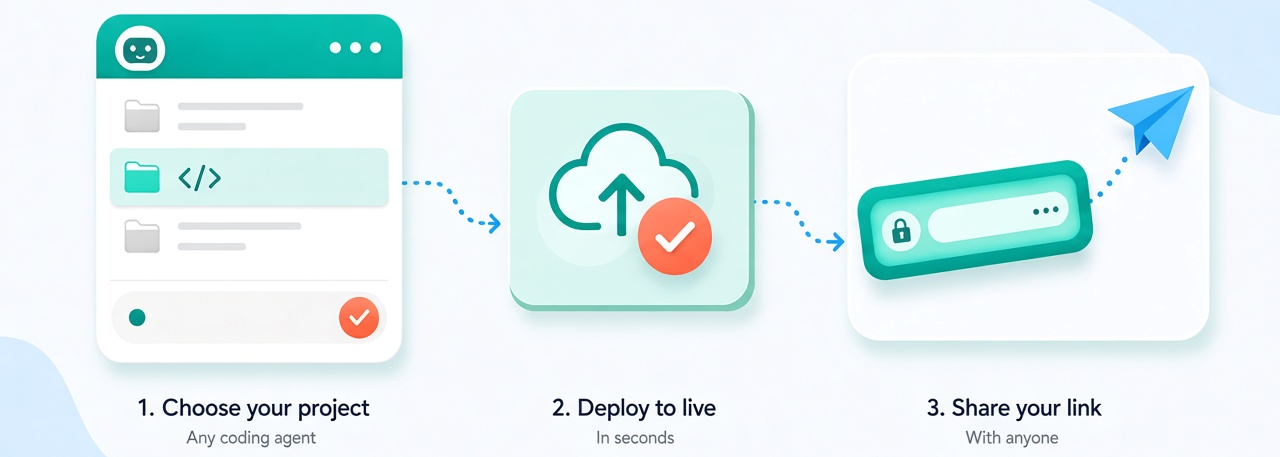
Live link first. Tunnel when you’re still editing. Deploy to share with friends, or tunnel your laptop on the same URL while you tweak.
The fastest way to put your vibe-coded app live. Text the link to friends — then watch traffic and iterate in chat.
Keep the same public URL, but tunnel it to your laptop. Demo a work-in-progress live — when you stop, traffic falls back to your last static deploy.
Install the d0 CLI once per machine:
Copy the token from your account page, then activate d0 from your terminal.
deploy, public, private, and tunnel.
Run from your project folder. d0 detects the static publish directory
(dist/, build/, or project root), uploads it, and prints the live URL.
Uses your default subdomain from registration — no name to pick.
Sharing defaults to public. Pass private to require a 6-digit access code.
index.html.d0 deploy and d0 deploy public both leave the site open.Lock the live URL behind a 6-digit access code without redeploying. Visitors see a code gate until they enter the code printed here.
private call generates a fresh code.Remove the access gate so anyone with the link can open the site. No redeploy required.
d0 deploy public for sharing only (no upload).Forwards your public subdomain to a local server while the command is running. When you stop it (Ctrl+C), traffic falls back to the last static deploy.
localhost:3000.d0 tunnel --target localhost:5173.Shows the linked project name, URL, sharing mode, deploy status, and whether a tunnel is online.
Prints the command list in the terminal, including deploy, public, private, tunnel, and status.